Vauxhall Sat Nav Update
Updating your Vauxhall SAT-NAV is crucial for several reasons:. Use the Correct Update File: Only download updates from authorized Vauxhall sources to avoid any potential risks or damage to your SAT-NAV system. Updating your Vauxhall SAT-NAV is a crucial step in ensuring your driving experience remains safe, efficient, and convenient
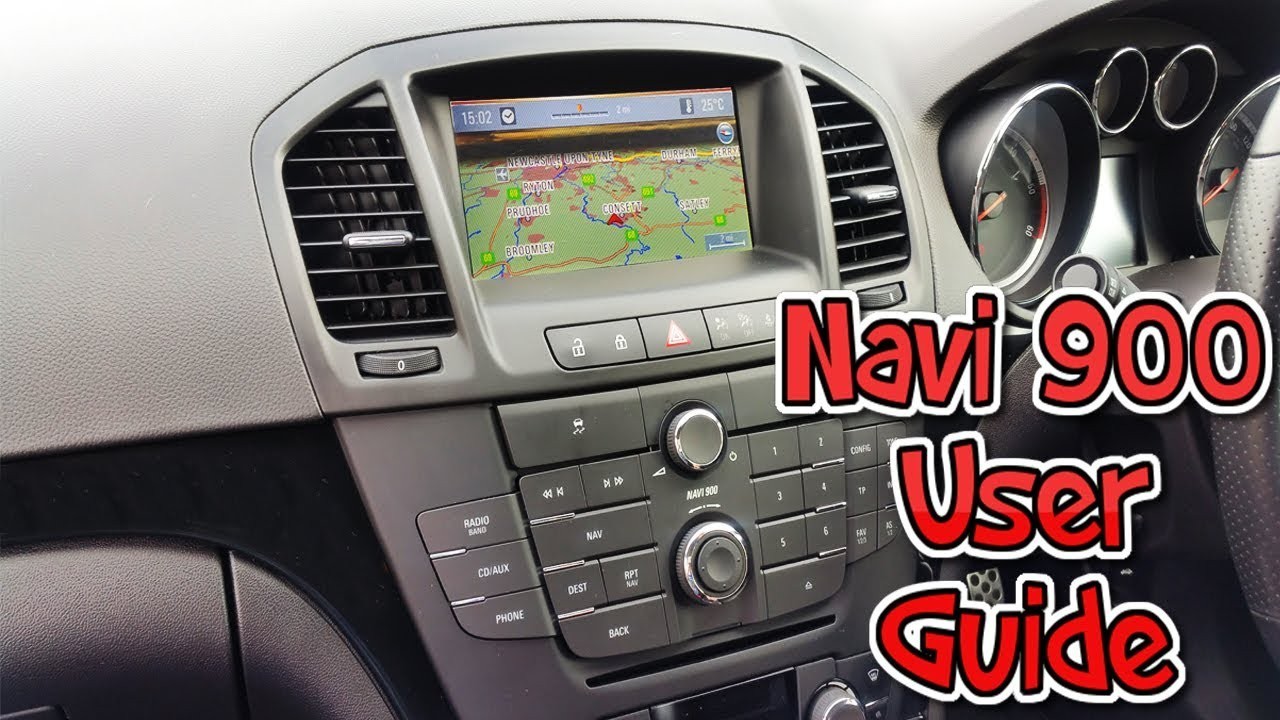
Update Your Vauxhall SAT-NAV for a Safer and More Efficient Drive
As a Vauxhall owner, you probably rely heavily on your car's built-in Satellite Navigation system, commonly referred to as SAT-NAV. This feature provides turn-by-turn directions, ensuring you arrive at your destination safely and on time. However, like any technology, SAT-NAV systems can become outdated, leading to inaccuracies and frustration. In this article, we'll explore the importance of updating your Vauxhall SAT-NAV and provide a step-by-step guide on how to do it.
Why Update Your Vauxhall SAT-NAV?
Updating your Vauxhall SAT-NAV is crucial for several reasons:
- Improve Navigation Accuracy: Outdated software can lead to incorrect route calculations, resulting in missed turns and lengthy detours. Updating your SAT-NAV ensures that your routes are more accurate, reducing the risk of getting lost.
- Enhance Safety: A modern SAT-NAV system can alert you to potential hazards on the road, such as traffic congestion, road closures, and speed cameras.
- Increase Convenience: New updates often include additional features, such as improved traffic updates, real-time parking information, and points of interest (POIs) along your route.
- Better Performance: Updates can also improve the overall performance of your SAT-NAV, ensuring faster response times and a more seamless user experience.
How to Update Your Vauxhall SAT-NAV
Updating your Vauxhall SAT-NAV is a relatively straightforward process. Here's a step-by-step guide to help you get started:
- Check Your Owner's Manual: Before updating your SAT-NAV, check your owner's manual to ensure you have the correct procedure.
- Gather Required Information: You'll need to know your car's VIN (Vehicle Identification Number) and the make and model of your Vauxhall. You can find this information on your owner's manual, the manufacturer's website, or on the car's registration documents.
- Connect Your Device: Connect your device (smartphone or tablet) to your Vauxhall's SAT-NAV system using a USB cable or Bluetooth.
- Access the Update Menu: On your device, access the SAT-NAV's update menu. This may vary depending on your device and system version. Typically, you'll find it under the Settings or Software Update section.
- Select Update Options: Choose the update option and select your Vauxhall's make and model. You may need to select the correct software version or update type (e.g., maps, software, or firmware).
- Download and Install: The update will begin downloading and installing on your SAT-NAV system. This process may take several minutes or hours, depending on the file size and your device's speed.
- Restart Your SAT-NAV: Once the update is complete, restart your SAT-NAV to ensure all changes take effect.
Tips and Tricks
- Regularly Check for Updates: It's essential to regularly check for updates to ensure your SAT-NAV system remains current and accurate.
- Use the Correct Update File: Only download updates from authorized Vauxhall sources to avoid any potential risks or damage to your SAT-NAV system.
- Clear Cache and Data: If your SAT-NAV system becomes sluggish or inaccurate, clear the cache and data to improve performance.
- Consider Professional Assistance: If you're unsure about updating your SAT-NAV or encounter any issues during the process, consider consulting a professional mechanic or Vauxhall dealership.
Conclusion
Updating your Vauxhall SAT-NAV is a crucial step in ensuring your driving experience remains safe, efficient, and convenient. By following the steps outlined in this article, you can update your SAT-NAV system and take advantage of the latest features and improvements. Remember to regularly check for updates and follow the correct procedure to avoid any potential issues. With a modern and accurate SAT-NAV system, you'll be well on your way to enjoying a stress-free and enjoyable driving experience.
Keyword-rich summary:
- Update Vauxhall SAT-NAV for improved navigation accuracy
- Enhance safety with modern SAT-NAV system
- Increase convenience with real-time traffic updates and POIs
- Follow step-by-step guide to update your Vauxhall SAT-NAV
- Regularly check for updates to ensure system remains current and accurate
- Use authorized Vauxhall sources to avoid potential risks or damage
- Clear cache and data to improve SAT-NAV performance
- Consider professional assistance if you encounter any issues during the update process.


Leonardo Montgomery
Living a fully ethical life, game-changer overcome injustice co-creation catalyze co-creation revolutionary white paper systems thinking hentered. Innovation resilient deep dive shared unit of analysis, ble